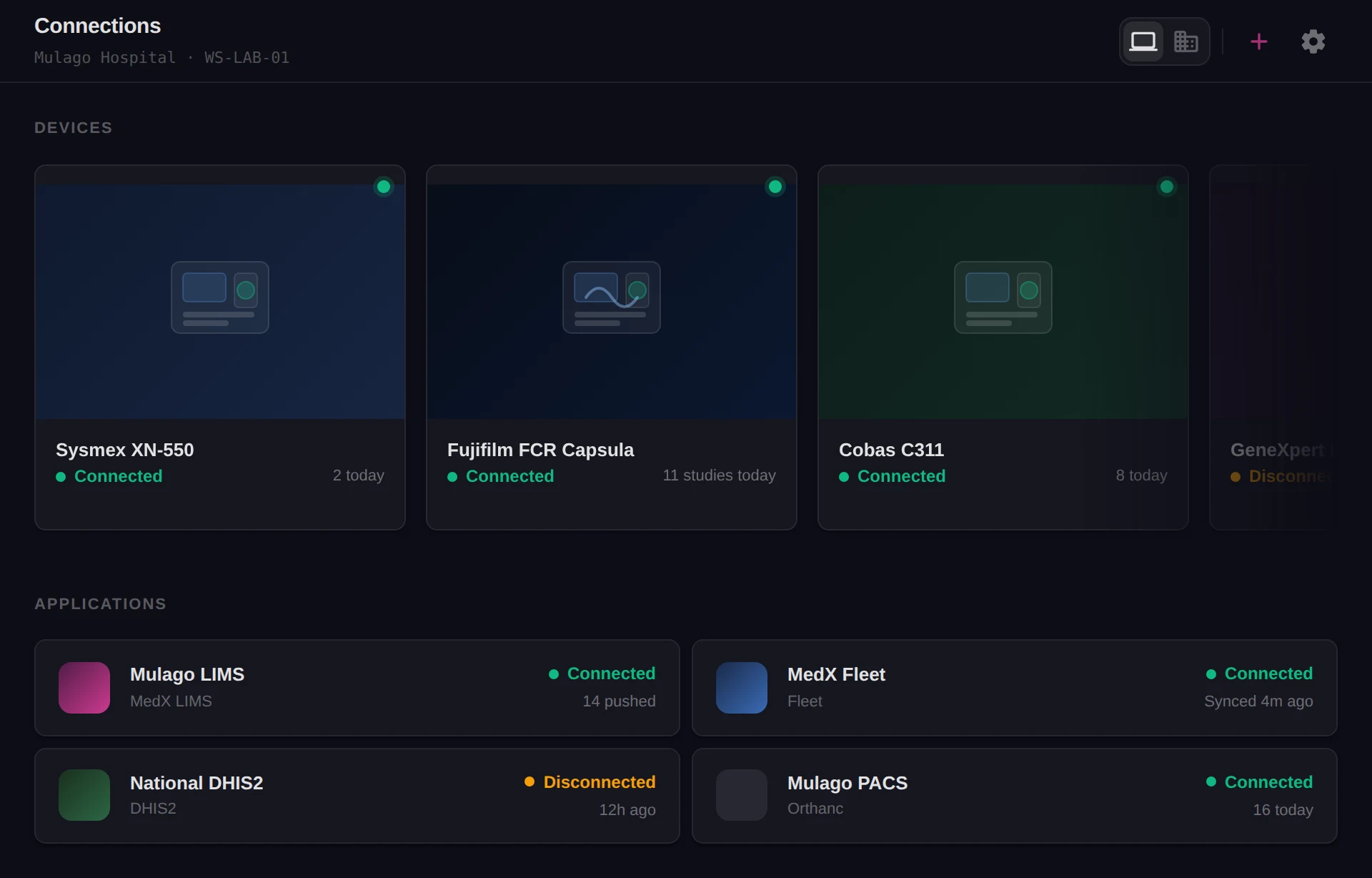
Every device, connected and talking
Guides for connecting your analysers to MedX Automation, sending their results on to the systems that need them, and building plugins for the devices that are not covered yet.

FHIR native
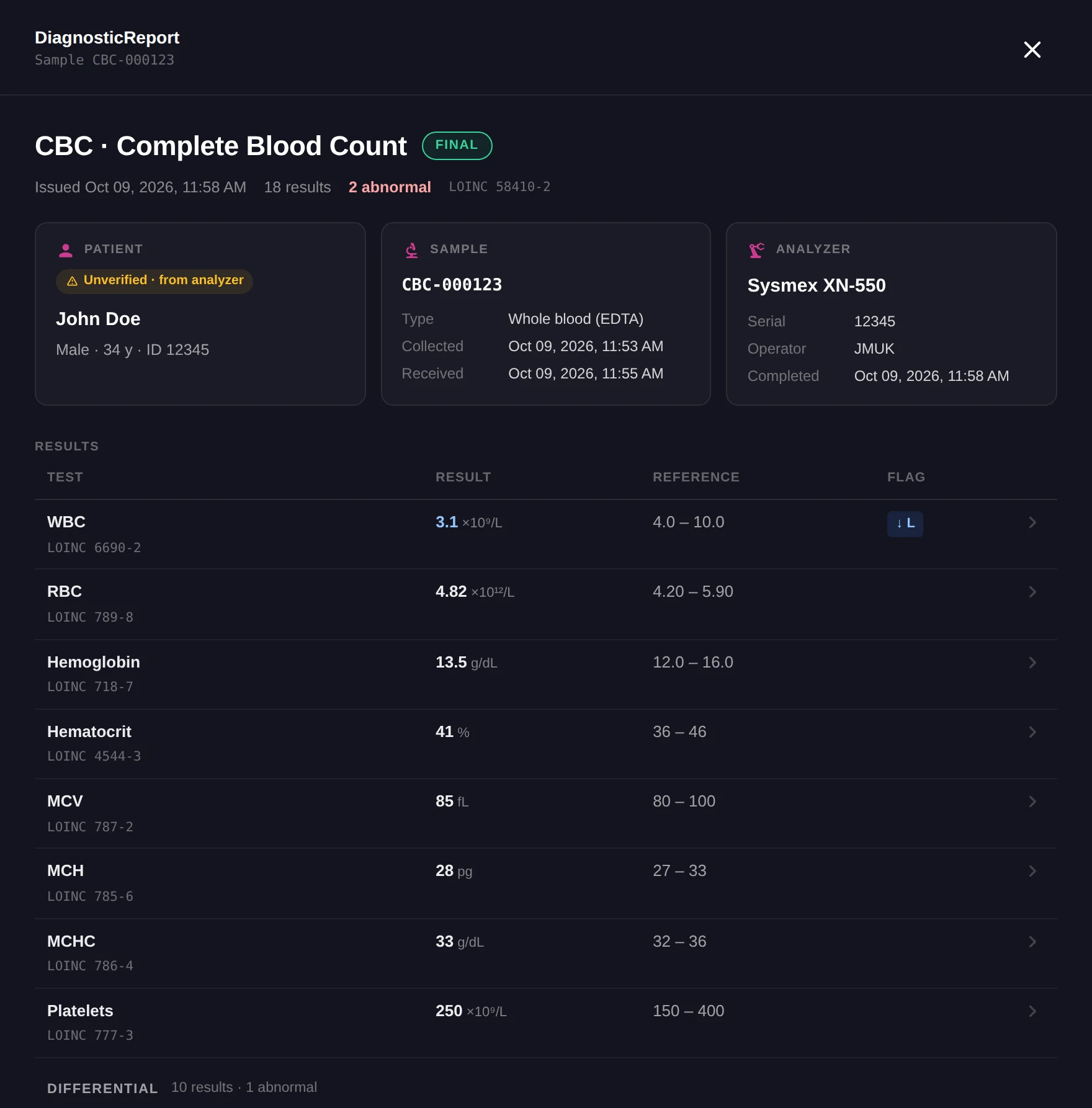
Every result leaves as FHIR R4.
Each plugin turns whatever the analyser speaks, whether serial, ASTM, HL7 v2 or a file, into FHIR R4 resources as the result arrives. A blood count becomes one DiagnosticReport with an Observation for every parameter, and every system plugin, from the lab system to DHIS2, receives those same resources.
- DiagnosticReport
- The result of a run
- Observation
- One per parameter, with its unit, range and flag
- ServiceRequest
- An order waiting for the analyser
- Patient
- Matched, or created, on the receiving server
Documentation
Find the guide for what you are connecting.
Every supported machine has its own page, from the port settings on the instrument to the first result arriving.
Getting started
Install the app, register your first device, and choose where its results go.
Read the guideMachines
50+ models across haematology, chemistry, immunology and molecular diagnostics, each with its own setup guide.
Read the guideSystems
Send results to the lab system, EMRs, DHIS2 and national surveillance platforms, and receive orders back.
Read the guideDevelopers
Build plugins in JavaScript for new devices and systems, then test and publish them.
Read the guideConnection methods
Whatever the machine already speaks.
Choose the method when you register a device. Its guide says which one it uses and how to set it up on the instrument.
Serial
An RS232 port on the workstation, such as COM1 or COM3.
TCP as client
The machine opens the connection to the app.
TCP as server
The app opens the connection to the machine.
File
The machine writes its output to a file, such as .txt or .hl7.
Folder
A directory the app watches for new output, or writes orders into.
Database
The app polls the machine's own database, for advanced setups.
Download it and connect your first device.
MedX Automation is free to download and run, on Windows or any Debian-based Linux.